How to Start a YouTube Channel and Be Successful in 2025 (Beginner’s Guide)
How to start a YouTube channel and be successful in 2025. Learn step-by-step, avoid mistakes & start earning today.
Read now to begin your journey!
Want to start a YouTube channel but don’t know where to begin? You’re not alone. Every day, thousands of people dream of becoming successful YouTubers—sharing their voice, building a community, and even earning passive income.
Good news? It’s more achievable than ever in 2025, especially with AI tools and the right strategy.
In this step-by-step guide, you’ll learn how to start a YouTube channel from scratch, avoid common beginner mistakes, and set yourself up for long-term success.
Why Start a YouTube Channel in 2025?
YouTube isn’t just a video-sharing site anymore. It’s a powerful platform for personal branding, business growth, and monetization.
Here’s why now is a great time to get started:
- AI tools make content creation 10x faster
- YouTube Shorts and long-form content both drive growth
- Creators are building full-time incomes through multiple revenue streams
Whether you’re into tech, lifestyle, finance, or gaming—there’s an audience for you.
Step 1: Pick Your Niche (and Stick to It)
Before creating anything, decide: What is your channel about?
Successful YouTubers usually pick one clear niche, such as:
- Tech Reviews
- AI Tools & Tutorials
- Fitness & Health
- Productivity
- Personal Finance
Ask yourself:
- What do I enjoy talking about?
- What problems can I solve for viewers?
- Can I create content about this long-term?
Pro tip: Niching down helps you grow faster. YouTube’s algorithm loves clear themes.
Step 2: Set Up Your Channel Properly
You don’t need fancy gear to begin. But a professional-looking setup helps you stand out.
Essentials:
- YouTube account + channel name
- Channel banner and profile picture (use free tools like Canva)
- Channel description with keywords (important for SEO!)
- Upload your first video + custom thumbnail
Tool tip: Try InVideo to create professional videos with AI—even if you don’t have editing experience.

Step 3: Understand Your Audience
Before you hit “record,” ask: Who am I making content for?
Create a viewer persona:
- Age, interests, problems
- What they’re searching for on YouTube
- What content they already watch
Use tools like VidIQ or TubeBuddy to spy on competitor channels and uncover trending topics.
Step 4: Plan Your First 10 Videos (Using AI Tools)
Instead of guessing what to post, create a content strategy. Start with:
- 5 searchable tutorials (e.g. “How to…”)
- 3 list-based or comparison videos (e.g. “Top 5 free video editors”)
- 2 personal or story-based videos (e.g. “Why I started this channel”)
Use AI tools like ChatGPT or Notion AI to brainstorm topics and script videos faster.
Step 5: Record and Edit Your Videos
You don’t need a DSLR camera. Most beginners start with:
- Smartphone (1080p is enough)
- Lavalier mic for better audio
- Natural light or a cheap ring light
Editing matters. A boring video loses viewers fast.
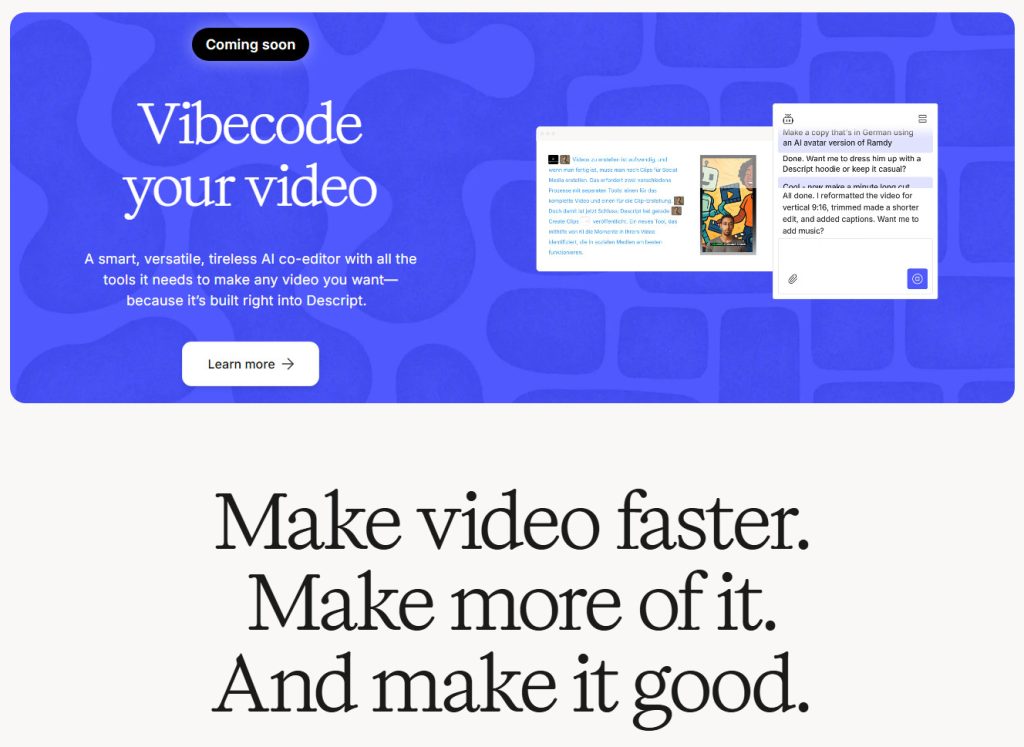
Try Descript – an AI-powered editor that helps you cut, trim, and add captions effortlessly.
Step 6: Upload with SEO in Mind
If you want views, YouTube SEO is non-negotiable.
Optimize each upload:
- Title with your main keyword
- Custom thumbnail with bold text
- Description (include your keyword + related links)
- Tags (relevant to your video)
- Use timestamps and chapters
Use VidIQ to analyze and improve your SEO score.
Step 7: Be Consistent (and Patient)
Most creators quit too early.
Here’s what to do instead:
- Upload 1–2 videos/week for at least 3 months
- Focus on improving each video (thumbnail, retention, etc.)
- Celebrate small wins: comments, likes, watch time!
Growth takes time. But consistency builds trust—with your audience and the algorithm.
Bonus: How to Monetize Your Channel
Once you reach 1,000 subscribers and 4,000 watch hours, you can apply for the YouTube Partner Program. But there are other ways to make money, even before that:
Smart monetization options:
- Affiliate marketing (e.g. VidIQ, Descript, InVideo)
- Sell digital products (Notion templates, eBooks)
- Sponsorships (after 1k–10k subs)
- Patreon or channel memberships
See our full guide: How to Monetize a Small YouTube Channel with AI Tools
FAQs: Starting a YouTube Channel in 2025
Is it too late to start a YouTube channel?
No. YouTube is still growing, especially with new tools like Shorts and AI-assisted editing. There’s room for everyone.
Do I need expensive gear?
Not at all. Your phone and free software are enough to begin.
How long does it take to get monetized?
Typically 6–12 months of consistent uploads, but it depends on your niche and content quality.
What niche is best for beginners?
Tech, education, and lifestyle do well—but pick something you enjoy and can commit to long term.
Final Thoughts
Starting a YouTube channel in 2025 is one of the best decisions you can make—for your brand, career, or even your income.
But remember: success comes from consistency + strategy + passion.
Use the tools available (like VidIQ, Descript, and InVideo) to speed up your journey and stay focused.
Got questions? Drop them in the comments—or check out our other beginner-friendly YouTube guides.
Disclosure: Some links in this post are affiliate links. If you click and purchase, I may earn a small commission—at no extra cost to you. I only recommend tools I’ve personally used and believe in.